Systematic reviews with a human in charge
Thousands of studies.
Every decision under control.
revisia builds reproducible search strategies, screens against criteria you can verify and draws the PRISMA 2020 diagram from your project's real counts. You confirm every decision.
Duplicates get filtered. Doubt does not.
revisia gathers your searches and your RIS, BibTeX or CSV files. Then it deduplicates and applies the criteria without hiding the uncertain cases.
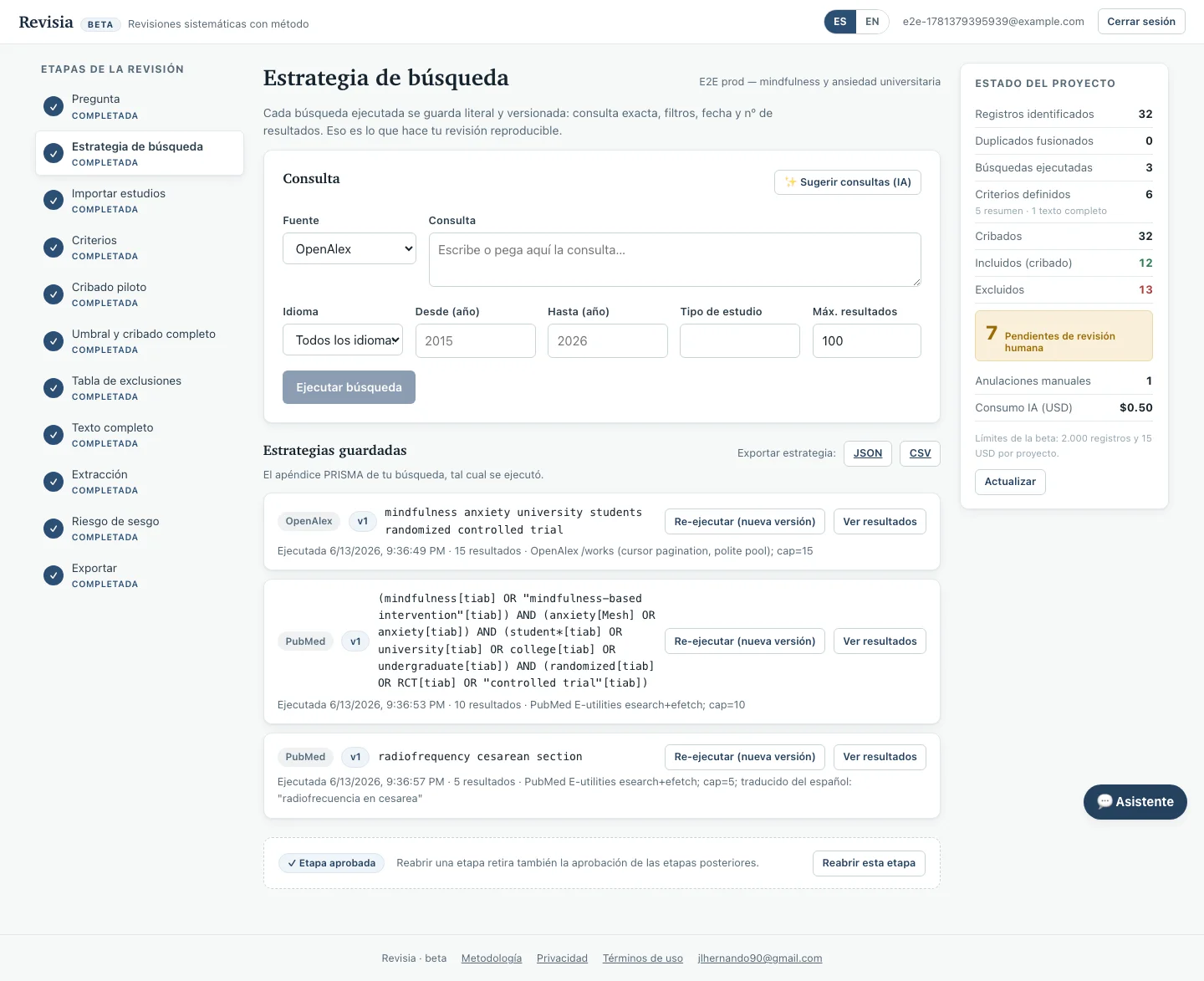
Searches and imports go through the same process.
The core of revisia
Three stages where artificial intelligence saves work without hiding the method
You build a reproducible strategy, review only the cases that need human judgement and get PRISMA 2020 from the project's real data.
From your question to queries ready for each source
The AI proposes candidate queries for PubMed, Europe PMC, OpenAlex and ClinicalTrials.gov. You can edit them before running anything, and revisia keeps the origin of every result.
- Queries adapted to each source's syntax.
- Query, filters, date and count are stored.
- The AI proposes. You decide what runs.
Every study is assessed criterion by criterion
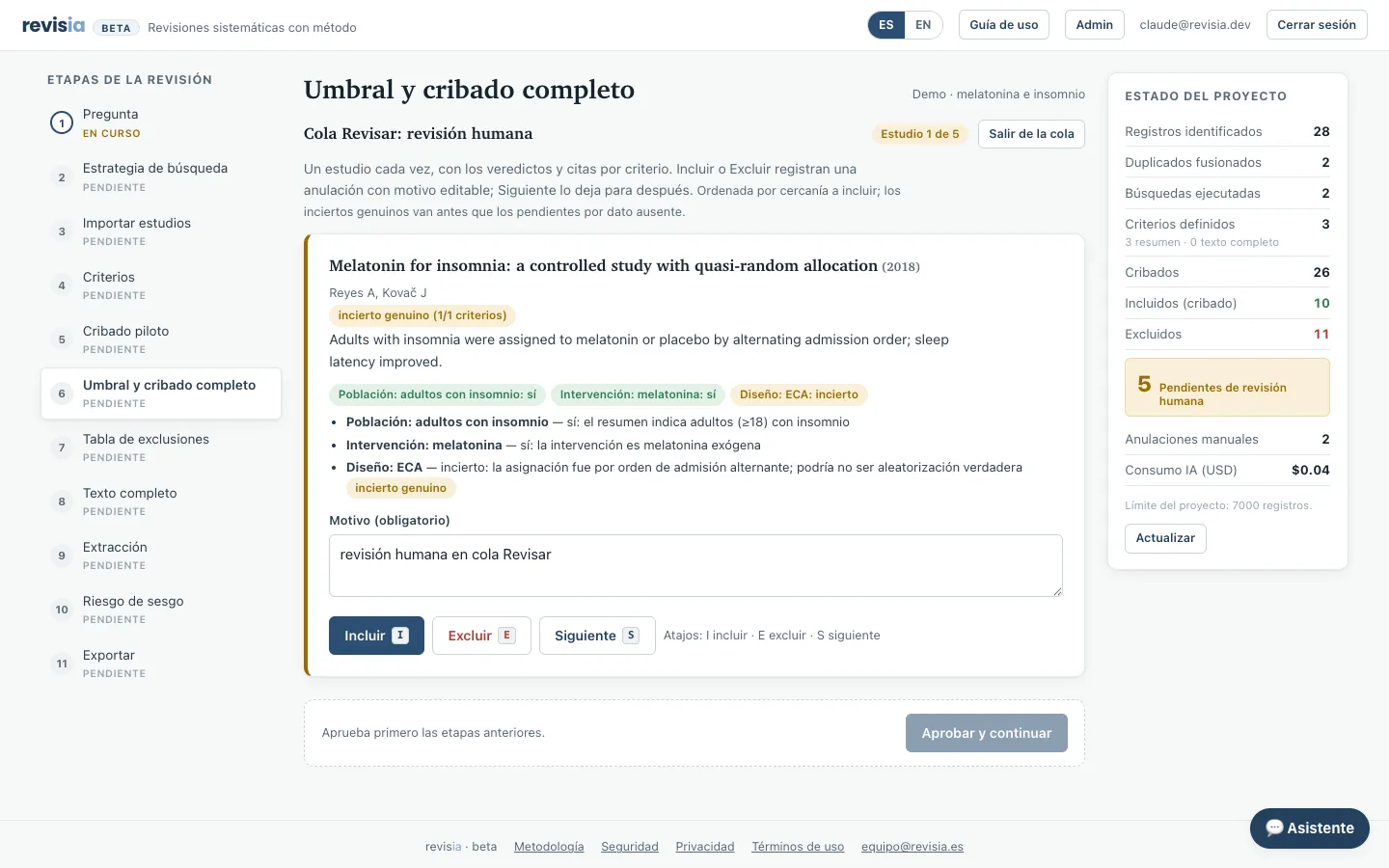
You see the proposed decision, the evidence it used and the reason. Uncertain cases go to human review instead of being excluded by default, in title-and-abstract screening and again in full text.
- A visible justification for every criterion.
- A human queue for uncertain or conflicting cases.
- Your decisions are recorded and can be reviewed.
The diagram grows out of the work already done
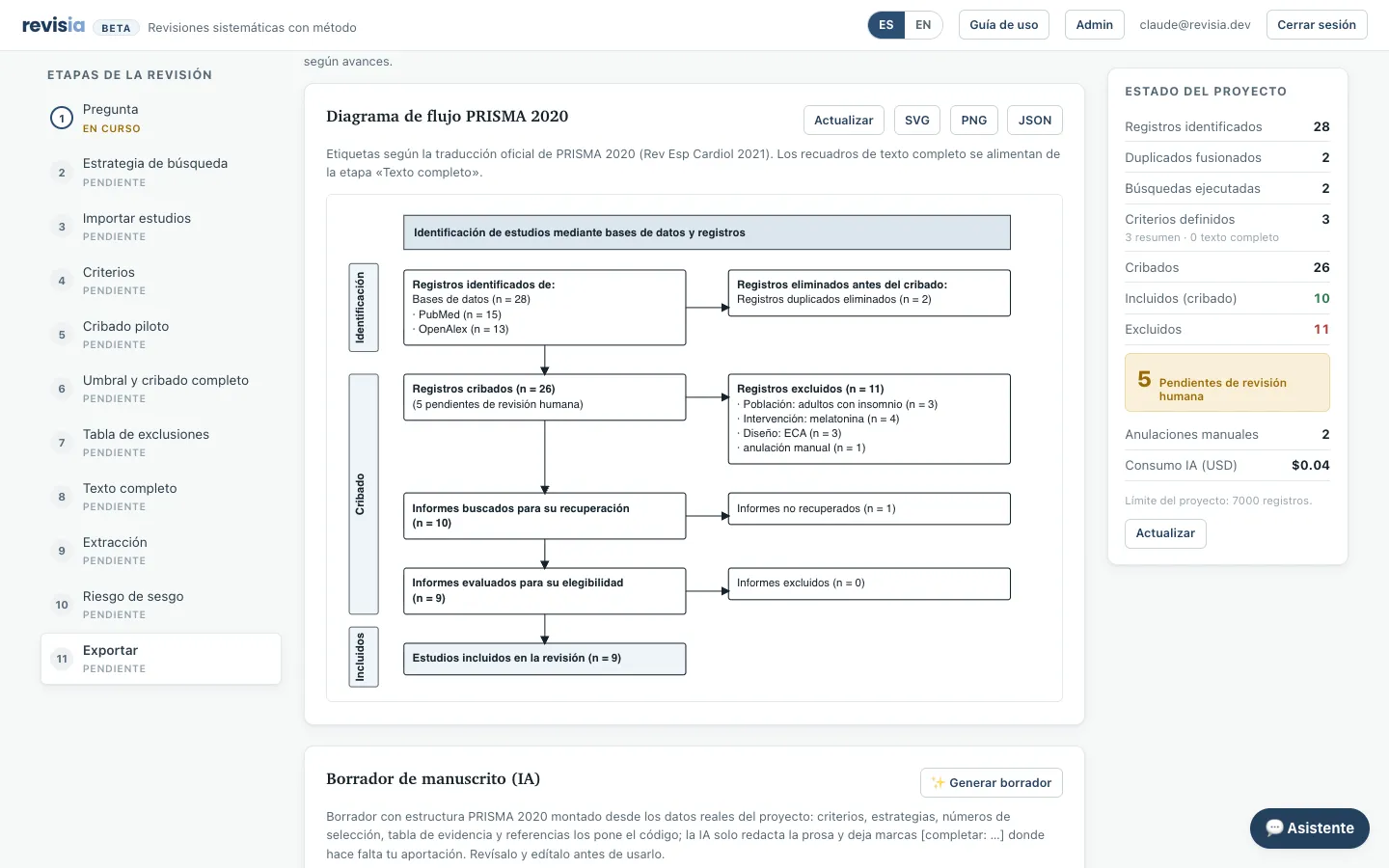
revisia uses the real counts from searching, deduplication, screening and exclusion. You never rebuild them at the end.
- Counts tied to the project's actual state.
- Exclusion reasons included in the flow.
- A diagram ready to review and export.
What you gain
Less mechanical work. More control over the evidence.
Start reading without duplicates
revisia filters duplicates on import. Every merge keeps its reason and its source.
Lose fewer studies
Anything doubtful lands in your review queue. It is never discarded on an assumption.
Cut screening from days to minutes
A thousand abstracts are screened in about two minutes. You review what is left standing.
Spot the data that is missing
If the text does not say it, the cell reads "Not mentioned". It is never confused with "not extracted".
Work in English or Spanish
Each project picks its language; criteria, verdicts and the manuscript come out in it. Every study keeps its original text.
Defend every data point
Every extracted value carries the sentence it came from. You can also export the decision log.
Every number on this page was measured and counted. Full methodology (in Spanish) →
Who it is for
Faculty and researchers
For your reviews and your group's: a reproducible method, results published alongside their methodology and an audit trail that stands up to peer review.
PhD candidates
The whole process, guided through stages that cannot be skipped, with PRISMA 2020 and a manuscript draft to start your methods chapter.
Master's and undergraduate theses
Your first systematic review without getting lost: two-phase criteria, doubt always in your hands and deliverables ready to defend, with no paywall on your work.
Also for librarians and information specialists (versioned, auditable strategies) and clinical and health groups (two-phase screening, open-access PDFs, extraction with verified quotes).
What revisia does NOT do
The real limits, stated before you run into them.
It does not search Embase, Scopus, Web of Science, CINAHL or Cochrane
Native search covers PubMed, Europe PMC, OpenAlex and ClinicalTrials.gov. The rest you search yourself and bring in as RIS, BibTeX or CSV: it joins the same pile and is deduplicated with everything else.
It does not translate the studies
You work in English or Spanish: criteria, verdicts and the manuscript come out in your project's language. You read each study's text in its own language. No machine translation in between.
It does not split a merge made by DOI
Every merge is on record: what was merged, why and from which source. The count feeds your PRISMA. If two records were merged because their titles matched and they are not the same study, you split them with a button. If they share a DOI, you cannot: they are the same article.
Free tools
Tools you can use today
Loose parts of a review you can solve right now, without an account: the figure or the document the journal asks for, ready in your browser. Your data never leaves it.
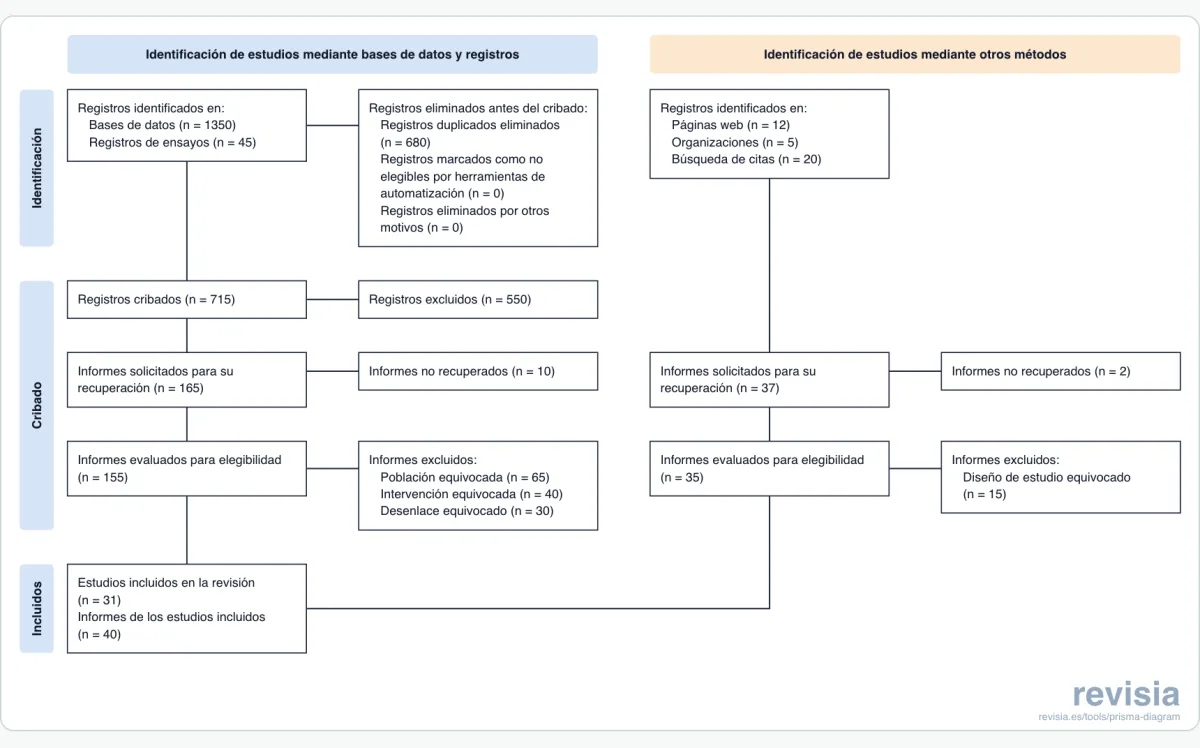
PRISMA 2020 flow diagram
All four official templates, arithmetic checked as you type, and export to PDF, SVG, PNG and Word.
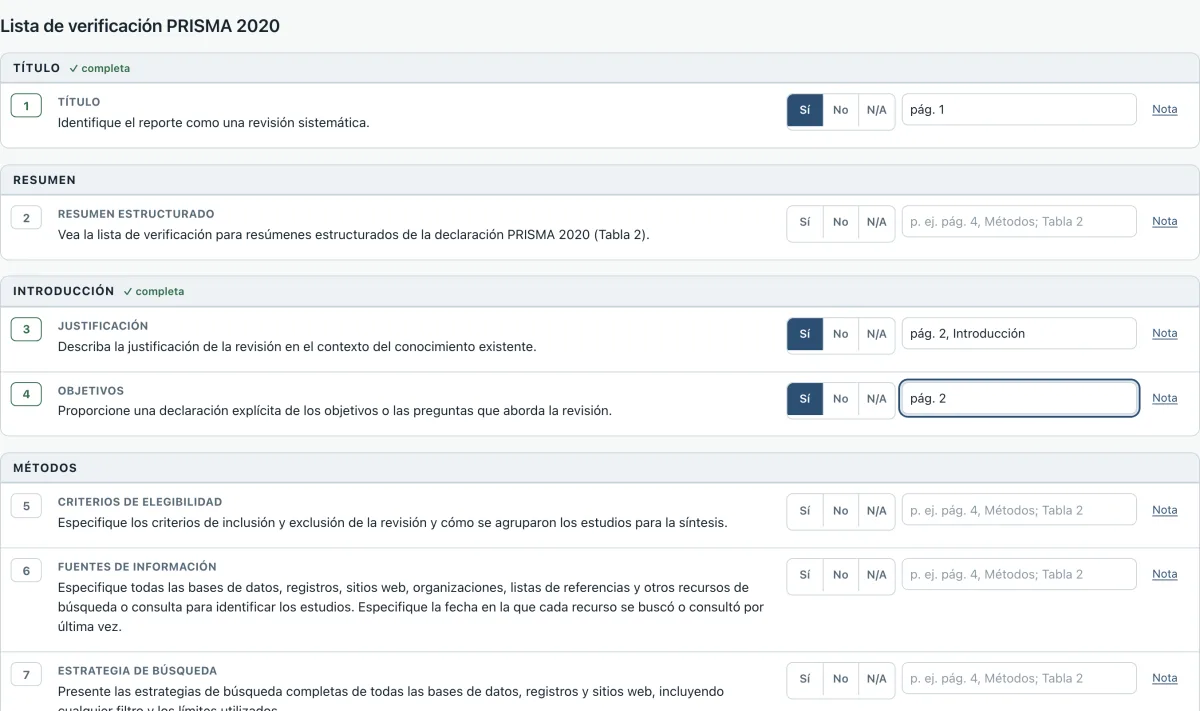
PRISMA 2020 checklist
All 27 items plus the 12 abstract items with where each one is reported; saves as you go and exports to Word and PDF even half done.
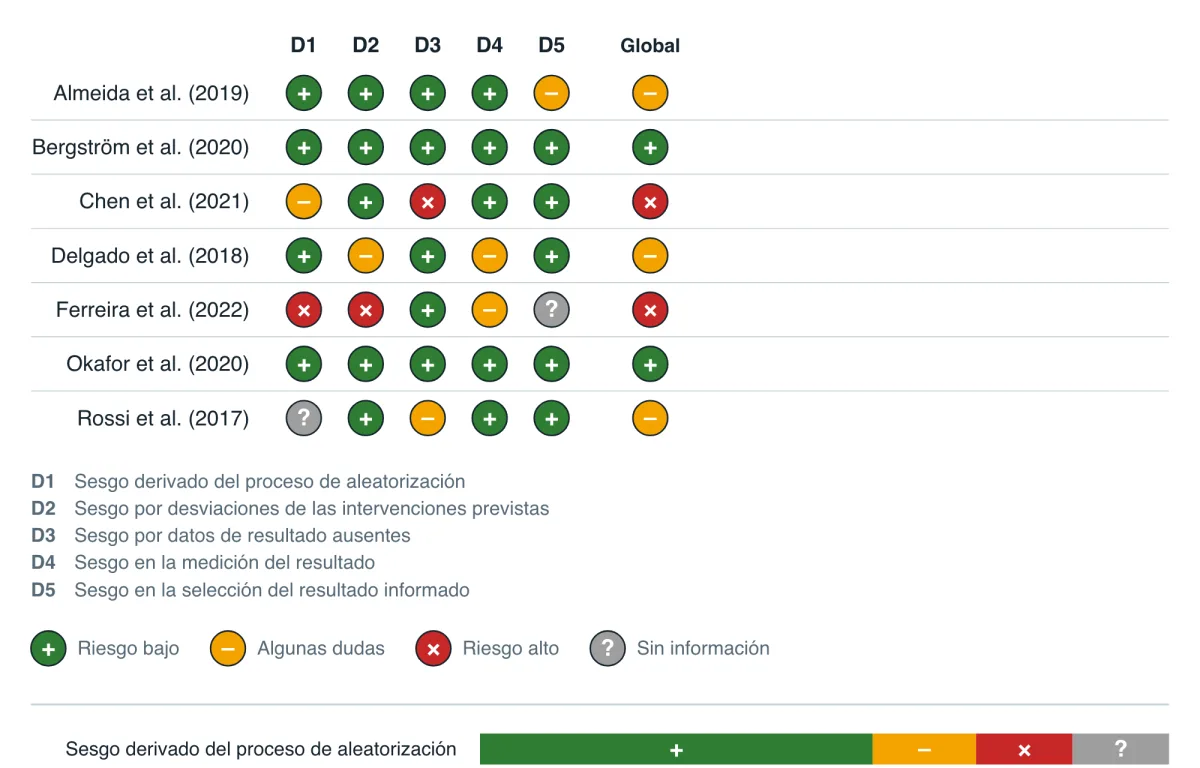
Risk of bias figure
Traffic-light and summary plots for RoB 2, ROBINS-I, QUADAS-2 and Newcastle-Ottawa; paste the table from Excel.
Frequently asked questions
What people usually ask
How much does it cost?
You start free, with no card. No subscription to renew or cancel: you pay for the review you do, with plans sized by the number of records, and that project's AI stays available for twelve months. Your work never expires: exporting it is free, always, and that is product policy, not a promise.
What is free and what is paid?
The free account takes you through the whole flow, up to the manuscript. The AI screens your first 100 records; the rest are marked for human verification. Full-text screening, data extraction, risk of bias assessment and the manuscript draft with AI are in the paid plans; on the free plan you do those stages by hand, and the PRISMA diagram, the audit trail and the exports are yours either way.
What happens to my data?
We only use an essential session cookie, no analytics or advertising cookies. Plausible measures visits and usage actions on the website and in the app. To compute daily metrics it processes the IP address and User-Agent, but it does not store those raw values; we never send it your identity, your texts or your reviews' data. You can ask for your account to be deleted. Policy and terms are in the footer (in Spanish).
Which languages does it work in?
Yes. Each project picks its language (English or Spanish), and that sets the language of the criteria, the verdicts and the manuscript. The interface is available in both.
Which sources does it cover?
Native search in PubMed, Europe PMC, OpenAlex and ClinicalTrials.gov, all four on the free plan too, where OpenAlex allows three searches per review. For Web of Science, Scopus, Embase, CINAHL or Cochrane you import your RIS, BibTeX or CSV files and they are deduplicated with a record of every merge. We would rather explain the limits than hide them.
Does the AI decide for me?
No. The AI assesses each criterion and the code applies deterministic rules; uncertain cases go to your review queue, and your decisions are audited and take precedence.
Can I check where each data point comes from?
Yes. Every value in the evidence table carries its verbatim quote and its source (abstract or full text). If the study has a PDF, "Open PDF" jumps to the quote's page with the sentence highlighted. And when the code could not confirm a quote, the cell is flagged "quote not found" instead of being taken as good.
Can I export my work?
Yes: records, evidence tables, PRISMA counts, bibliography (RIS, BibTeX, CSV) and the manuscript draft. Exports are free, always.
Create your account and start today
From the research question to the PRISMA diagram, with every decision audited. Free to start.